
Is managing your finances constantly getting shoved to the end of your to-do list?
When you’re self-employed or running a small business (whether it’s just you or a tiny team), bookkeeping tasks that keep your books up to date often become “that thing you’ll get to later” on your list.
Did you know?
64.4% of small business owners use accounting software to simplify their bookkeeping[1].
It’s no surprise—manual tracking is time-consuming, prone to all kinds of errors plus the risk of commingling personal and business funds, and takes away valuable time. The right accounting software streamlines tasks like invoicing and expense tracking, and also makes financial management more efficient.
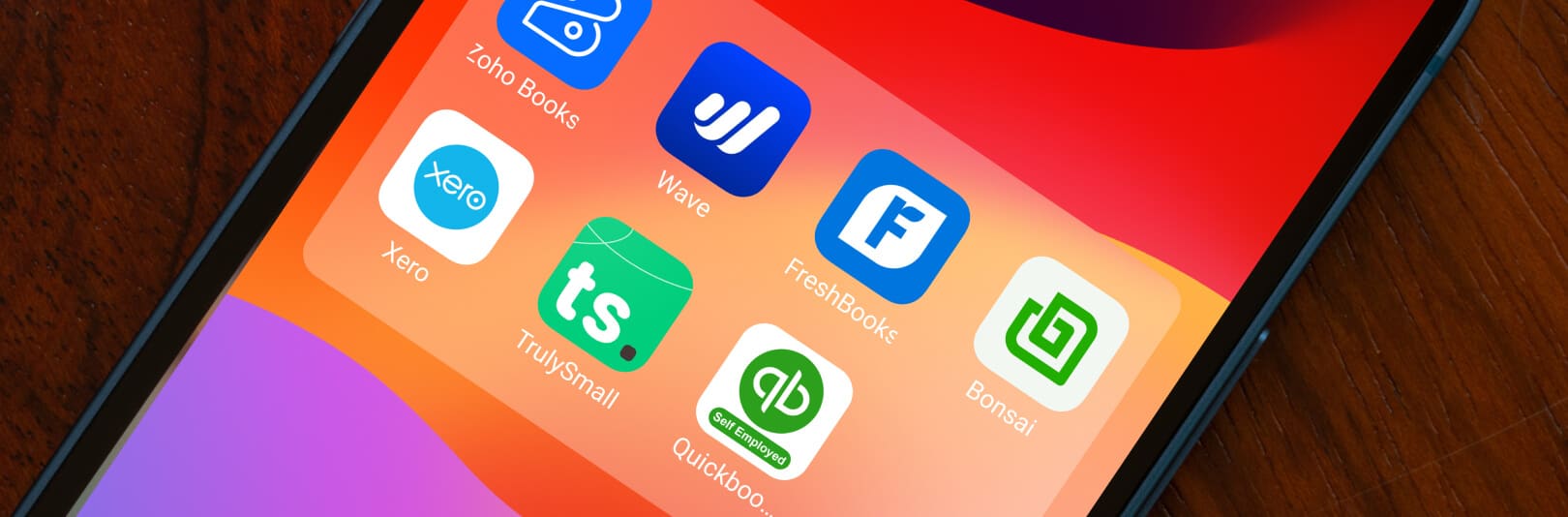
Whether you’re a freelancer, consultant, contractor, or solopreneur, we’ve compiled a list of the 7 best self-employed accounting software to help professionals like you stay on top of your finances in 2025.
What to look for in accounting software when you’re self-employed
As a self-employed professional, you know every dollar counts, so the last thing you need is expensive software that doesn’t deliver value. The best accounting software for self-employed individuals should fall in your budget, help you stay organized, and make tax season less painful.
Here’s what to look for to find the right fit:
- Invoicing that gets you paid on time
Timely payments are crucial to running your business smoothly without any hiccups and a strong invoicing system ensures you’re paid promptly. The best options let you set up recurring invoices, customize them with your brand, and send automatic payment reminders. Some tools even include client communication features, making it easier to stay connected with your customers about payments. - Expense tracking that doesn’t miss a beat
Tracking expenses is essential for managing profits and preparing for tax season. Look for software that helps you log expenses quickly and organize them in a way that’s easy to access when you need a detailed look at your spending. - Mileage tracking for work-related travel
If you’re on the road for client meetings or project-related tasks, your mileage could qualify as a deductible expense. Many accounting apps now include mileage tracking with GPS or automatic mileage logging to help you maximize deductions come tax time. - Receipts and paperwork organized in one place
Forget about saving a stack of receipts in your wallet or scanning them all at once during tax season. Good accounting software lets you snap photos of receipts or upload them, automatically sorting and linking them to relevant expenses. - Tax prep and compliance
Tax season shouldn’t feel like an uphill battle. Look for software that calculates quarterly estimates, tracks deductible expenses, and provides easy access to tax reports. Some options even integrate with tax filing software, helping you stay compliant and on track throughout the year.
Also read: 5 best mileage tracker apps to track business travel miles in 2025
7 best accounting software for self-employed individuals
Our top picks are based on the features that make bookkeeping and accounting easier and more streamlined for self-employed individuals.
Here’s what each software does best:
1.QuickBooks Self-Employed[2]
Apple iOS: 4.5 / Google Play: 3.7
Pricing: $10/month for the first three months for the Solopreneur Plan, then $20 per month. A 30-day free trial is available.
QuickBooks Self-Employed is tailor-made for freelancers and contractors who need quick and reliable support with taxes and mileage tracking. This software calculates estimated taxes automatically and even tracks your mileage using GPS. So, if you’re tired of manually logging miles and guessing your tax bill, QuickBooks Self-Employed could be just the solution.
| Pros | Cons |
| Automatic mileage tracking for easy deductions | Basic reporting features |
| Integrates with TurboTax for seamless tax filing | Limited scalability options for growth |
| Calculates estimated taxes automatically | Migration to other QuickBooks products can be challenging |
2. Zoho Books[3]
Apple iOS: 4.8 / Google Play: 4.8
Pricing: Plans start at $10 per month (billed annually), with a free version as well.
For self-employed professionals who need more than just basic bookkeeping, Zoho Books offers a suite of tools to manage finances from A to Z. Zoho Books handles invoicing, expense tracking, and financial reporting. It’s also part of the larger Zoho ecosystem, which means if you’re already using tools like Zoho CRM or Zoho Projects, this software integrates seamlessly.
| Pros | Cons |
| Strong integration with Zoho ecosystem apps | Complex interface for first-time users |
| A comprehensive suite of financial tools | Limited third-party integrations outside of Zoho |
| Supports multi-currency for international transactions | Steeper learning curve due to extensive features |
3. Wave[4]
Apple iOS: 4.4 / Google Play: 4.7
Pricing: Free for core features; Pro plan at $16/month for enhanced automation and expense tracking.
Wave is one of the few options that offers a powerful suite of features completely free of charge. For self-employed individuals who need a solid foundation for managing income and expenses, Wave covers the essentials—no monthly fee is required. You get free invoicing, receipt scanning, and customizable expense tracking in an interface that’s refreshingly easy to use.
| Pros | Cons |
| No cost for core accounting features | Lacks advanced features like project management and time tracking |
| Unlimited invoicing for seamless billing | Limited customer support options, with live chat and email only on paid tier |
| User-friendly interface, easy for beginners | Limited scalability for growing businesses |
4. FreshBook[5]
Apple iOS: 4.7 / Google Play: 4.2
Pricing: Self-employed plans start at $16.50/month, with a 30-day free trial available.
Known for its intuitive invoicing features, FreshBooks lets you create, customize, and send invoices that make a solid impression. Plus, with built-in time tracking and project management features, it’s ideal if your work involves ongoing projects and tracking billable hours.
| Pros | Cons |
| User-friendly design, easy for beginners | Client and user limits on lower-tier plans |
| Customizable invoices with recurring billing | Extra fees for adding team members |
| Tracks billable hours and expenses easily | Basic inventory management, limited functionality |
| Mobile app access for managing on the go | No batch invoicing option |
| Integrates with over 150 apps |
5. Bonsai[6]
Apple iOS: 4.4 / Google Play: 4.1
Pricing: Starts at $9/month when billed annually, with up to 4 months free.
Bonsai is built for self-employed professionals who are balancing multiple clients and projects. With tools for client contracts, proposals, invoicing, and project management, Bonsai gives you an all-in-one solution. If you’re looking to manage every step of your projects seamlessly, Bonsai keeps everything in one place so you can focus on delivering top-notch work.
| Pros | Cons |
| A comprehensive suite of tools for all business needs | Limited accounting features; lacks full accounting functionalities |
| User-friendly interface | Higher pricing, which can be costly for those just starting out |
| Automation for invoicing and reminders | Learning curve due to a wide range of features |
| Customizable templates for contracts and proposals | Limited third-party integrations, which may limit flexibility |
| Client portal enhances the client experience |
6. Xero[7]
Apple iOS: 4.6 / Google Play: 4.4
Pricing: Starting at $29/month with a 30-day free trial.
Xero stands out for its client management capabilities, making it an excellent fit for freelancers with multiple clients or contracts. From tracking invoices to monitoring client communications, Xero provides a clear overview of your relationships with each client. This platform also offers robust reporting tools so you get a full picture of your finances.
| Pros | Cons |
| User-friendly interface, even for non-accountants | Limited features in the entry-level plan, with restrictions on invoices and bills |
| Comprehensive tools for invoicing, expense tracking, and reporting | No built-in payroll; requires third-party integration (e.g., Gusto) |
| Allows unlimited users on all plans, great for collaboration | Steeper learning curve due to extensive features |
| Integrates with over 1,000 third-party apps, enhancing functionality | Limited customer support options, primarily email and online resources |
| Mobile app provides flexibility for managing finances on the go |
7. TrulySmall Accounting[8]
Apple iOS: 5.0 / Google Play: NA
Pricing: After a 14-day free trial, TrulySmall Accounting customers pay $18.00 per month (billed annually) or $20.00 (billed monthly).
TrulySmall Accounting is designed for sole proprietors who want basic features without the clutter, allowing you to manage invoices, expenses, and cash flow effortlessly. TrulySmall is simple and affordable, making it a solid choice for self-employed individuals with straightforward needs.
| Pros | Cons |
| User-friendly interface, ideal for beginners | Lacks advanced features like project and time tracking |
| Smart Inbox feature simplifies task management | No native third-party integrations |
| Automated expense tracking saves time | Mobile app doesn’t support all desktop features |
| Real-time reporting for quick insights | Monthly pricing can be high compared to free options |
The bottom line
Accounting software for self-employed individuals can streamline tasks and simplify tax time. However, no matter how advanced the software, it’s only as effective as the person using it. Most small business owners juggle everything—from invoicing to tax deadlines and preparing for audits—without the specialized expertise required to handle all the financial details. And software alone won’t catch missed deductions or deeper financial risks if your books aren’t fully organized.
To truly harness these tools, you need comprehensive bookkeeping services that keep every transaction accurate and every expense captured. That’s where CoCountant comes in. For a fixed monthly price, we pair expert bookkeepers with your chosen software, so your finances stay on track, tax-saving opportunities are identified, and you can stop wrestling with receipts and ledgers—and start focusing on growth.
Ready to combine smart software with expert accounting?
FAQs
What’s the easiest accounting software for freelancers?
If you’re new to managing your finances, Wave and FreshBooks are top picks for their intuitive designs and beginner-friendly features. These tools simplify invoicing, expense tracking, and more—perfect for freelancers or self-employed pros with minimal accounting experience.
What’s the difference between self-employed accounting software and software for small businesses?
Self-employed accounting tools are built for solo entrepreneurs, freelancers, and contractors, focusing on essentials like mileage tracking, invoicing, and estimated taxes. Small business software, on the other hand, caters to teams, often including features like payroll, inventory management, and multi-user access—tools most self-employed individuals don’t need.
Can accounting software help with budgeting for self-employed individuals?
Absolutely. Many platforms, such as Zoho Books and FreshBooks, offer built-in budgeting tools to help you stay on top of your income and expenses. With these features, you can compare your actual numbers against your budget and make adjustments to stay financially healthy.
Can I manage business and personal finances in one accounting software?
Yes, but keeping them separate is important for tax purposes. Tools like QuickBooks Self-Employed make this easy, allowing you to categorize transactions as business or personal. This ensures clarity and compliance when it’s time to file taxes.
Disclaimer
Reference links
- https://www.businessdasher.com/small-business-accounting-statistics/
- https://quickbooks.intuit.com/solopreneur/
- https://www.zoho.com/books/pricing/
- https://www.waveapps.com/wave-app
- https://www.freshbooks.com/?srsltid=AfmBOoqHDQmK4D01MZHxKBp9Y9QLz8tIUwN0HeHs3uImb1aLhDQGy0bT
- https://www.hellobonsai.com/
- https://www.xero.com/
- https://trulysmall.com/trulysmall-accounting


